
FinClip Mini-Program Digital Management System - System Inspection
1. Overview
This manual performs system inspection through ansible and generates reports. Applicable to clusters installed through deployment documentation: https://devops-docs.finogeeks.club/deployment/03_installation_steps/
2. Preparation
· Prepare the inspection ansible-playbook package and upload to server.
https://static.finogeeks.club/deploy/download/check-master.tar.gz
3. Operation Steps
tar -zxvf check-master.tar.gz
cd check-master

# Copy the deployment cluster's inventory file or create new inventory file and add all node IPs
cp /data/finclip-installation/finclip-deploy-ansible-master/inventory .

# Execute inspection script
ansible-playbook  init.yml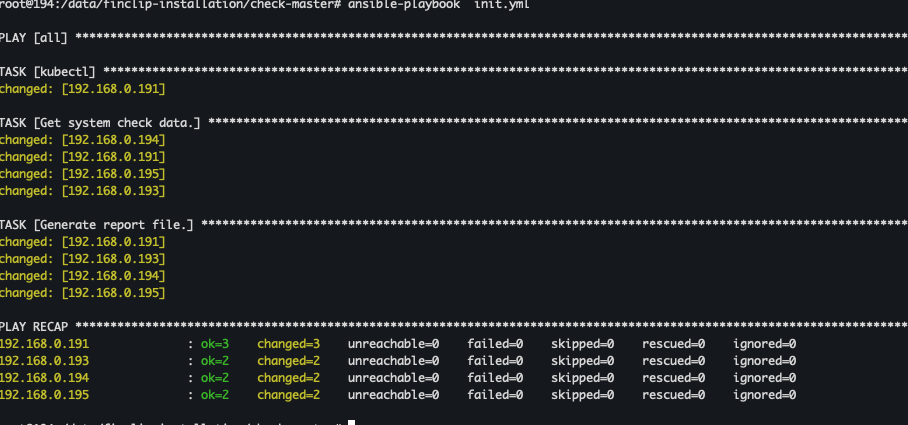
Execution completed with no error messages.
4. View Report
Report file generated: server/tmp/report-%Y-%m-%d.html
Download file to local computer and open with browser:
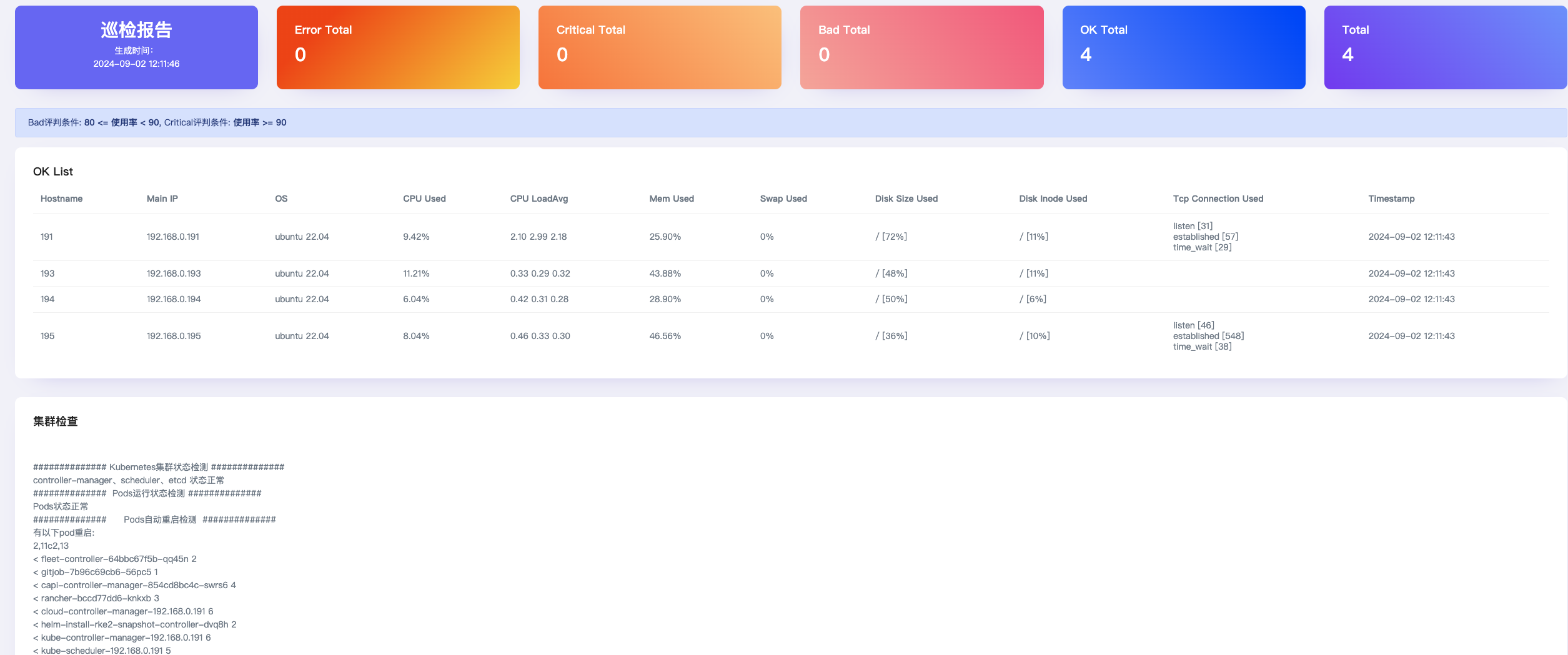
· Focus on server resource usage
Normal indicators: ok Total = Total
· Focus on Kubernetes cluster and service status
Normal indicators: Cluster normal, service status normal, no pod restarts compared to last inspection